
Edited by Tejas Telkar · Published · Updated
Short answer
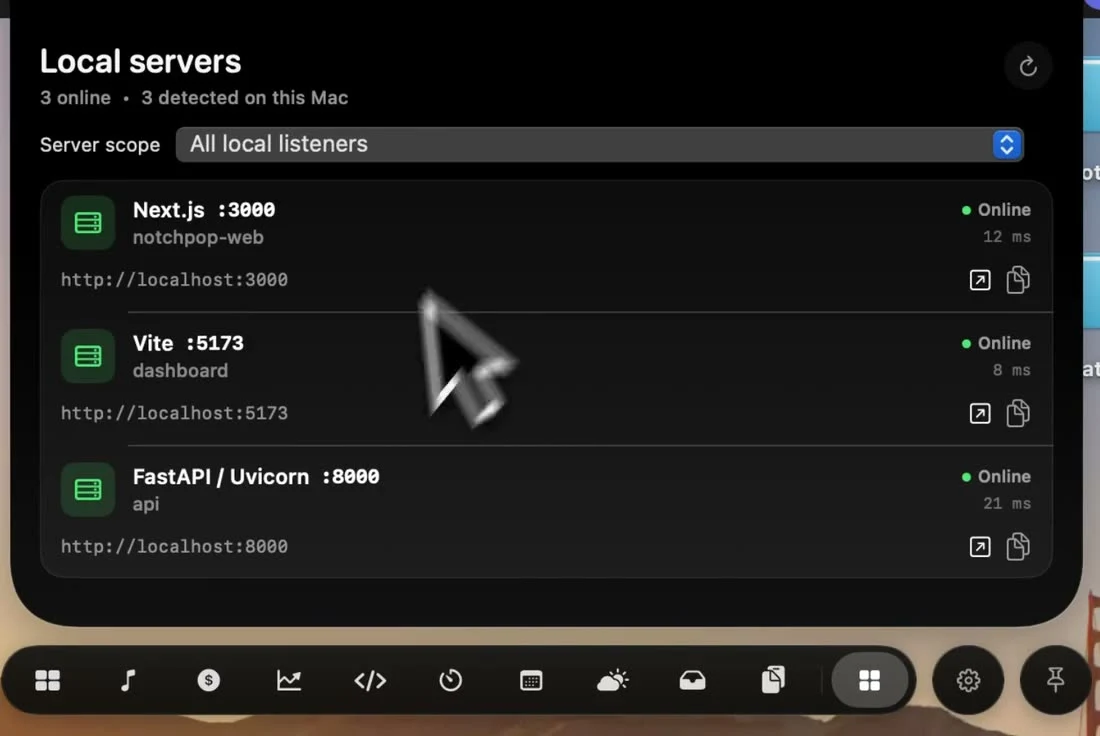
NotchPop Dev servers detects supported local development listeners and shows their ports, project information and status. Choose Active project only or All local listeners, then open or copy the intended URL. A detected port is a useful lead, not proof the whole application works.
Start the project with its own command
Run the development command your repository documents. NotchPop observes local listeners; opening its panel does not install dependencies, build the project or create a server. Keep the terminal output available so a failed startup is distinguishable from a server the panel simply has not identified.
Multiple projects can use different ports, and a framework may move to another port when its default is occupied. Read the actual listener instead of repeatedly opening a remembered localhost address. Project and command details help distinguish the preview you want from another process running on the same Mac.
Filter and open the intended preview
- Open Dev servers after starting the project.
- Choose Active project only or All local listeners.
- If the project filter is empty, set the intended project folder or inspect all listeners.
- Check the framework, port, path and status, then use Open or Copy server URL.
A responsive listener establishes a narrower fact than a working product. Visit the relevant route, exercise its form or API call and inspect the result. A homepage can load while a database connection or a deeper page fails, so the panel's status should not replace end-to-end verification.
Stop the correct process deliberately
The panel includes a confirmation-oriented Stop interaction and a force-stop option if the process does not quit normally. Read the project and port before using either. Stopping a server is comparable to ending its terminal process; it can interrupt work being tested by another window or person.
If no listener appears, inspect the terminal for a startup error and confirm the filter first. If a server uses unexpected CPU, use the CPU guide for process-level investigation. Claude Code and Codex activity are separate signals: an assistant working on the repository does not itself start or validate a preview.
Sources and editorial notes
Published by NotchPop, the maker of the app. macOS instructions and third-party claims are linked to the sources below. Settings and offers can change between versions. Read our editorial approach or send a correction.