
Edited by Tejas Telkar · Published · Updated
Short answer
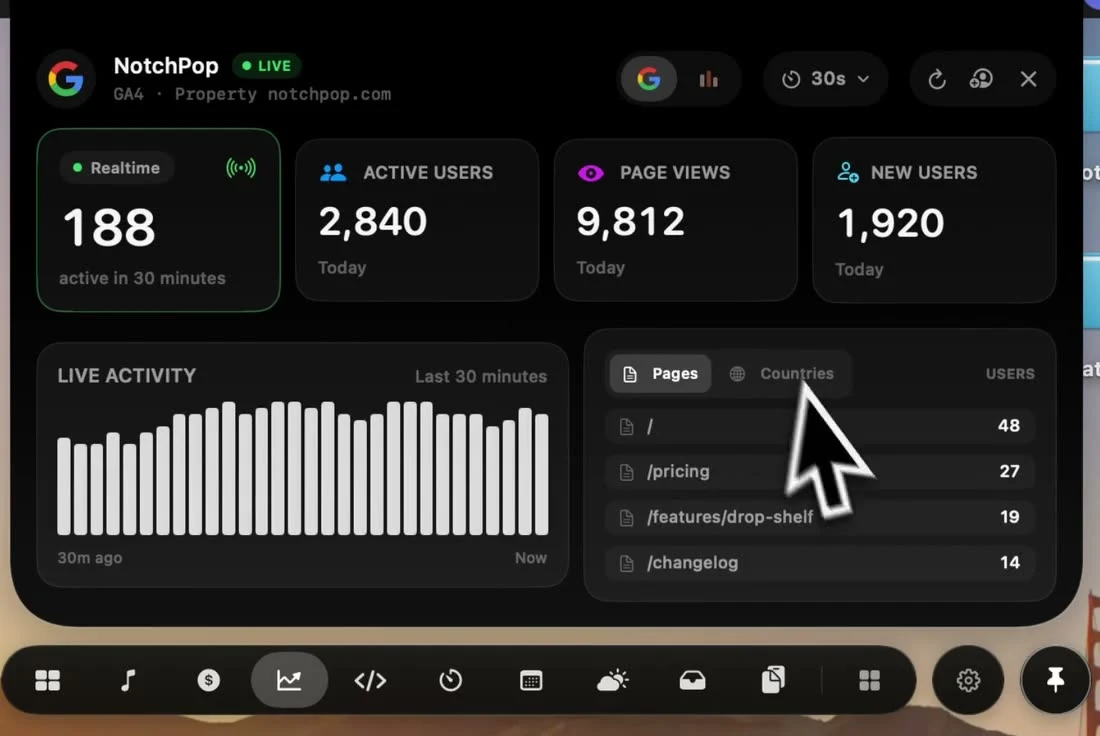
Open NotchPop Analytics, choose Google and sign in to an account with access to your GA4 property. Select the intended property or enter its numeric property ID. Check the property name and sync status before interpreting visitors; a disconnected or failed reading is not measured zero traffic.
Identify the website before connecting
A Google account can have access to several accounts and properties. A successful sign-in therefore does not establish that you are viewing the intended website. Compare the displayed property name with the property you use in Google Analytics, especially if you manage client projects or several products.
The numeric GA4 property ID identifies the reporting property. It is different from a website's G-prefixed measurement ID. Adding a property to NotchPop reads its available reports; it does not install a tracking tag on your website or create events that were never collected.
Connect and verify the first reading
- Open Analytics and choose the Google provider.
- Use Connect Google with an account that can read the intended property.
- Select the property from the available list or enter its numeric ID.
- Read the property label, sync status and any error before using the figures.
If the property is missing, reload the property list or use a different Google account as appropriate. An access error needs an access or connection fix; repeated refreshes cannot grant permission. Keep DEMO, SYNCING, FAILED and LIVE states distinct when taking a screenshot or reporting a number.
Use realtime and acquisition reports for different questions
Google's Realtime report describes recent activity, including views over the last 5 and 30 minutes. Processing delays and limited attribution make it unsuitable as a complete historical marketing report. Use the original Google Analytics acquisition reports for questions about organic sessions across a selected date range.
For example, a quiet realtime panel after a launch does not by itself mean yesterday's organic traffic disappeared. Check the observation time, selected property and reporting window first. A network speed reading describes your Mac's data transfer, while Analytics describes activity recorded by a website; neither substitutes for the other.
If you are comparing visitors with Stripe revenue or Polar orders, align dates and account context. A visitor count alone does not prove a purchase or establish a conversion rate without the corresponding event measurement.
Sources and editorial notes
Published by NotchPop, the maker of the app. macOS instructions and third-party claims are linked to the sources below. Settings and offers can change between versions. Read our editorial approach or send a correction.